


Your thread keeps getting stronger
We've also reworked how you view and edit samples and designs, made project plans easier to share, and simplified storage navigation. If you've already got a Lab Thread account, this is live in your workspace now! If not, you can request a demo below.
01. AI in Lab Thread
AI, Right Where You Work
Taking you from idea to record with less typing. Recent update include:
• Connect your own AI assistant: Connect the AI assistant you already use, such as ChatGPT or Claude, straight to your Lab Thread data through our new MCP server (MCP, or Model Context Protocol, is the open standard AI assistants use to connect to other software). Ask questions of your own records without exporting anything, and get answers with their full experimental context. Your permissions and audit logs still apply, and only the minimum context needed is shared with the assistant you choose.
• AI-assisted protocols, templates and ELN entries: Use AI to help draft protocols, templates and ELN entries, then review and edit before you save.
• ELN content from a photo of your notes: Snap your handwritten bench notes and turn them into ELN content.
• ELN entries from simulations: Turn a simulation into a written ELN entry, without retyping the details.
• ELN entries from protocols: Turn a protocol into an ELN entry, without retyping the details.
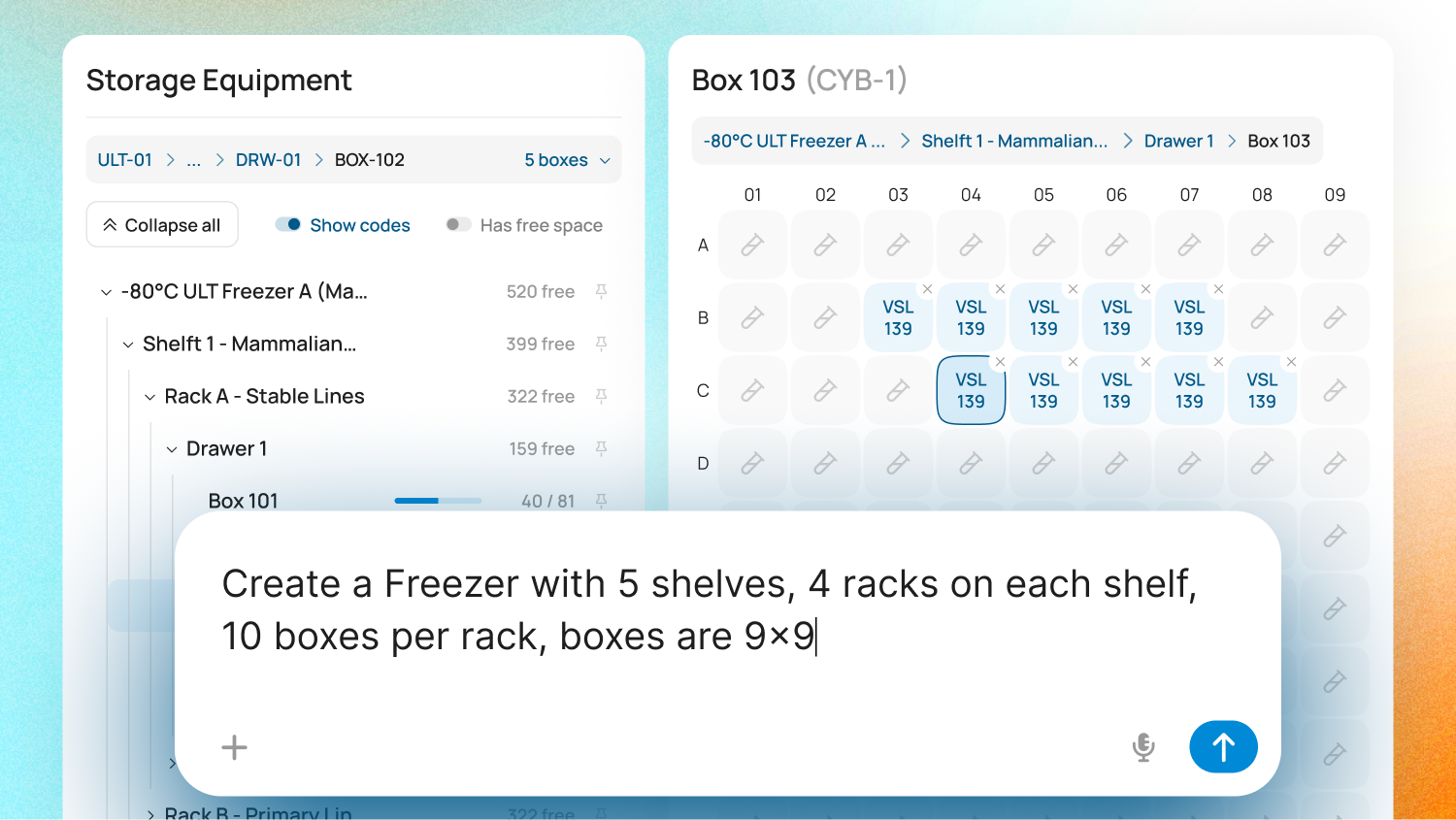
• Equipment from a prompt: Describe a piece of equipment and let AI create the record for you.
• Sequence Design Assistant: AI support across your sequence design work, inside the Molecular Biology module.
02. ELN & Protocols
Protocols, Properly Connected
Protocols now work alongside your ELN entries:
• Protocol versioning: Version tracking for your protocols.
• Export protocols to PDF: Export a protocol as a PDF and attach it straight to an ELN entry.
• Split view inside the ELN: Keep a protocol open beside the entry you are writing.
• Extended @references: Reference more types of Lab Thread record from inside your entries.
03. Project Management
Plans You Can Reuse and Share
Set up repeat work faster and take your plans outside Lab Thread when you need to.
• Duplicate a work package: Copy an existing work package as the starting point for the next one.
• Export your Gantt chart: Download your timeline as PDF, SVG, PNG or CSV for reports, slides and meetings.
• Save a snapshot: Capture your plan as it stands today, so you can track real progress against it later.
• Project updates: Post updates on a project so everyone working on it can follow progress.
04. Sample Management
Grids That Work the Way You Do
New data grids for samples and designs, with more of your data on show and fewer clicks to change it.
• New data grids: Choose your columns, widen and rearrange them, and save the views you use most.
• Dynamic fields in your grids: Your dynamic fields now appear on the Samples and Designs grids, and you can group samples by Design.
• Bulk update of sample and design fields: Edit a field across many samples or designs at once, even when each one needs a different value.
• Multiple parents in the sample log: Select several parent samples when you log a child sample, so its lineage is complete from the start.
05. Storage
Find Your Way Around Storage
A new way to move through your storage locations.
• Three-tier storage navigation: Browse storage through a new three-level layout, making it quicker to move between locations and find what you need.
See these new features in action!
